
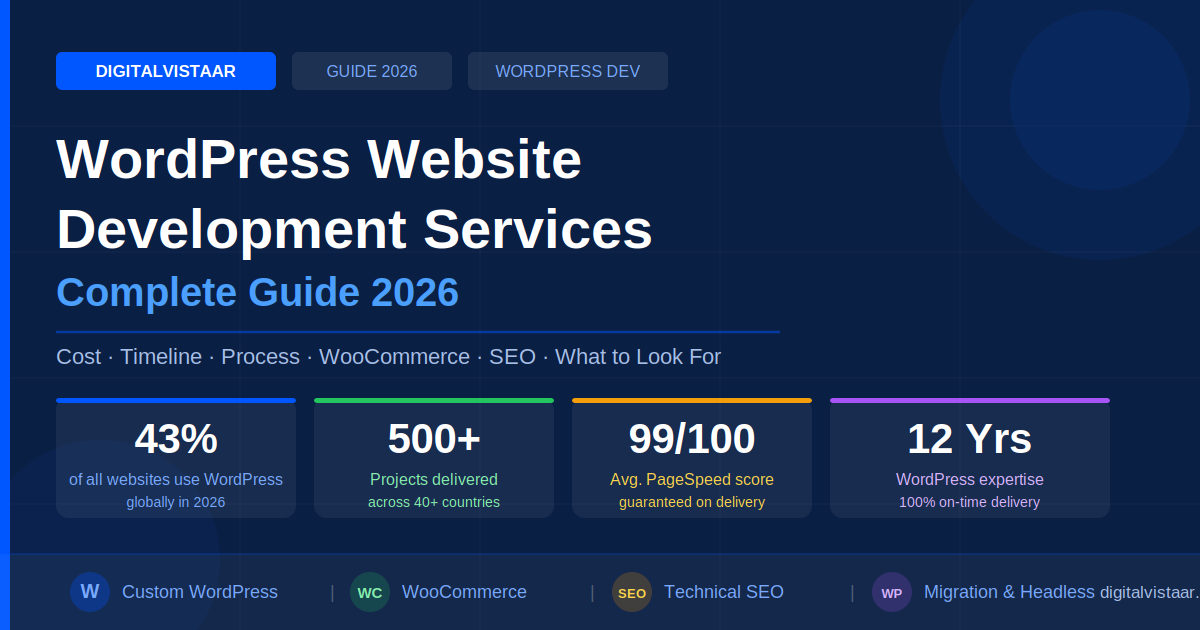
WordPress powers over 43% of all websites on the internet — more than every other CMS platform combined. Yet the difference between a generic WordPress site built from a free template and a professionally engineered WordPress website built by expert developers is the difference between a digital brochure and a lead-generating, revenue-driving business machine.
Whether you are a startup founder looking for your first professional website, an eCommerce business that needs a high-converting WooCommerce store, or an enterprise searching for a scalable headless WordPress solution, understanding what WordPress website development services actually involve — and what separates a great agency from a cheap freelancer — is critical before you invest.
At DigitalVistaar, we have spent over 12 years delivering custom WordPress development across 40+ countries. This guide explains everything honestly — costs, timelines, process, red flags, and how to get the most from your investment.
📋 Table of Contents
- What Are WordPress Website Development Services?
- Types of WordPress Development Services Explained
- WordPress Development Cost in 2026
- How Long Does WordPress Development Take?
- The Professional WordPress Development Process
- WooCommerce Development: What You Need to Know
- WordPress SEO & Performance — Why It Matters from Day One
- How to Choose the Right WordPress Development Agency
- 5 Red Flags to Avoid When Hiring WordPress Developers
- Why DigitalVistaar for WordPress Web Development Services?
- Frequently Asked Questions (FAQs)
What Are WordPress Website Development Services?
WordPress website development services refer to the full range of professional activities involved in planning, designing, building, launching, and maintaining a website on the WordPress platform. This is not the same as simply installing WordPress and selecting a theme. Professional WordPress development services cover:
- Custom WordPress theme design and development from scratch
- WooCommerce store setup and custom eCommerce development
- Bespoke WordPress plugin creation and API integrations
- WordPress performance optimisation and Core Web Vitals improvement
- WordPress migration from other CMS platforms (Shopify, Wix, Drupal, etc.)
- Technical SEO configuration and schema markup implementation
- Enterprise WordPress and headless WordPress solutions
- Ongoing WordPress maintenance, security, and support
- White-label WordPress development for agencies
The key word is professional. Thousands of freelancers and offshore studios offer cheap WordPress websites. But a professionally engineered WordPress website is built with performance-first architecture, clean documented code, proper SEO foundations, security hardening, and a genuine understanding of your business objectives — not just a functioning web page.
Quick Fact: WordPress in 2026 supports full site editing (FSE), the Gutenberg block editor, PHP 8.3, and the REST API — making it one of the most powerful and flexible CMS platforms available today. A skilled WordPress development agency unlocks all of it for your business.
Types of WordPress Development Services Explained
Not all WordPress projects are the same. Here is a breakdown of the main service categories and what each involves:
| Service Type | Best For | Key Deliverable |
|---|---|---|
| Custom WordPress Theme Development | Brands wanting a unique, bespoke design | Hand-coded theme, Figma-to-WordPress, full Gutenberg support |
| WooCommerce Development | eCommerce businesses, online stores | Custom product pages, checkout optimisation, payment gateway integration |
| WordPress Plugin Development | Businesses needing custom functionality | Bespoke plugins, CRM/ERP integrations, REST API connections |
| WordPress Performance Optimisation | Slow existing sites, Core Web Vitals failures | Redis caching, CDN setup, LCP/CLS/INP fixes, 90+ PageSpeed scores |
| Headless WordPress / Enterprise CMS | Large organisations, high-traffic publishers | Next.js / React frontend, WordPress REST API backend, multisite networks |
| WordPress Migration & Redesign | Businesses moving platform or refreshing design | Zero-downtime migration, 301 redirect mapping, 100% SEO equity preservation |
| WordPress Maintenance Plans | All live WordPress sites | Core/plugin/theme updates, daily backups, uptime monitoring, security scans |
| White-Label WordPress for Agencies | Design agencies, marketing companies | Full NDA, agency-branded delivery, overflow capacity, consistent quality |
DigitalVistaar offers all of the above as end-to-end services, with a dedicated project manager assigned to every engagement from day one.
WordPress Development Cost in 2026
One of the most common questions businesses ask is: “How much does a professional WordPress website cost?” The answer depends on scope, complexity, and the team you hire. Here is a transparent breakdown:
| Project Type | Typical Cost Range | Timeline |
|---|---|---|
| Standard business / portfolio website | $3,000 – $10,000 | 4 – 6 weeks |
| Custom WordPress website with advanced features | $8,000 – $20,000 | 6 – 10 weeks |
| WooCommerce store (standard) | $8,000 – $20,000 | 6 – 10 weeks |
| Custom WooCommerce store (multi-currency, subscriptions, B2B) | $15,000 – $40,000 | 8 – 16 weeks |
| Enterprise / Headless WordPress | $25,000 – $100,000+ | 12 – 24 weeks |
| WordPress performance optimisation sprint | $1,500 – $5,000 | 1 – 3 weeks |
| WordPress migration (from other CMS) | $2,000 – $8,000 | 2 – 6 weeks |
| Ongoing maintenance plan (monthly) | $149 – $499/month | Ongoing |
Important: Extremely cheap WordPress development (under $500–$1,000) almost always results in template-based websites with no custom code, poor performance, security vulnerabilities, and no SEO foundation. The cost of fixing a poorly built WordPress site is almost always higher than investing in quality the first time.
At DigitalVistaar, every project begins with a free discovery call and a fully itemised, transparent proposal — no hidden costs, no surprise invoices. You know exactly what you are getting before a single line of code is written.
How Long Does WordPress Development Take?
Project timelines vary significantly depending on scope. Here is what realistic timelines look like for different types of WordPress web development services:
Standard Business Website (4–6 Weeks)
- Week 1: Discovery, strategy, and UX wireframes
- Week 2–3: Design approval and WordPress theme development begins
- Week 4: Content integration, plugin setup, and technical SEO configuration
- Week 5: QA testing, cross-browser checks, PageSpeed audit
- Week 6: Client review, revisions, and launch
Custom WooCommerce Store (8–12 Weeks)
- Weeks 1–2: In-depth discovery, eCommerce architecture planning, payment gateway selection
- Weeks 3–5: Custom theme and product page development
- Weeks 6–8: Checkout flow, cart optimisation, payment and shipping integrations
- Weeks 9–10: Performance optimisation, security hardening, SEO setup
- Weeks 11–12: Full QA, UAT, launch, and post-launch monitoring
Enterprise / Headless WordPress (12–24 Weeks)
- Detailed technical architecture planning and infrastructure design
- WordPress REST API or GraphQL (WPGraphQL) backend development
- Next.js or React frontend development and integration
- SSO/LDAP integration, GDPR compliance framework, security layers
- Load testing, CDN setup, high-availability deployment
The Professional WordPress Development Process
A professional WordPress development agency follows a structured, transparent process. Here is how every project should work — and how we work at DigitalVistaar:
Step 1 — Discovery & Strategy
Before any design or code begins, your agency should invest deeply in understanding your business: goals, target audience, competitors, SEO landscape, and technical requirements. At DigitalVistaar, this results in a written strategy document covering WordPress architecture, keyword opportunity mapping, UX wireframe direction, and a full project scope with milestone timelines.
Step 2 — UX Design & Wireframes
High-fidelity Figma or Adobe XD designs are created and approved by you before development begins. This stage covers desktop and mobile layouts, user journey mapping, conversion flow design, and brand alignment. Nothing moves to code until the design is signed off.
Step 3 — WordPress Theme & Plugin Engineering
Senior developers build every component from scratch — clean, documented, PSR-standards-compliant PHP with full Gutenberg block editor support. No bloated page builders. No technical debt. Key activities include:
- Custom WordPress theme development or full block theme (FSE)
- Advanced Custom Fields (ACF Pro) integration for flexible content management
- Bespoke plugin development for custom business logic
- CRM, ERP, or third-party API integrations via the WordPress REST API
- Mobile-first, WCAG AA accessibility-compliant development
Step 4 — QA, Performance & Security Audit
Before launch, every WordPress project undergoes rigorous quality assurance including cross-browser and cross-device testing, Core Web Vitals audit (LCP, CLS, INP), Google PageSpeed benchmarking (target: 90+ on all devices), security scanning, and accessibility validation. DigitalVistaar clients average a PageSpeed score of 99/100 after our performance engineering.
Step 5 — Launch, Training & Ongoing Support
A smooth, zero-downtime launch is followed by a hands-on CMS training session so your team can manage content confidently. Post-launch monitoring, 30 days of free support, and optional ongoing maintenance plans ensure your WordPress site continues to perform at its peak.
WooCommerce Development: What You Need to Know
WooCommerce is the world’s most popular eCommerce platform, powering over 28% of all online stores globally. When professional WooCommerce development services are delivered correctly, the results are remarkable. Here is what a professionally built WooCommerce store includes:
| WooCommerce Feature | What a Professional Agency Delivers |
|---|---|
| Product Pages | Custom layouts built for conversion, rich schema markup for Google Shopping |
| Checkout Flow | Streamlined, distraction-free checkout engineered to reduce cart abandonment |
| Payment Gateways | Stripe, PayPal, Razorpay, Braintree, and custom gateway integrations |
| Multi-Currency | Geo-based currency switching, localised pricing, international tax compliance |
| Subscriptions | WooCommerce Subscriptions with custom billing logic, dunning management |
| B2B eCommerce | Wholesale pricing tiers, purchase order workflows, account-level discounting |
| Performance | Sub-1 second load times, optimised database queries, full CDN integration |
| SEO | Product schema, breadcrumb markup, optimised URL structure, rich snippets |
One of our recent WooCommerce clients in the UK health and wellness sector saw load time drop from 2.8 seconds to under 700ms, organic traffic increase by 180% within 60 days of launch, and conversion rate jump from 1.2% to 3.4% — purely through professional WooCommerce development services.
WordPress SEO & Performance — Why It Matters from Day One
A WordPress website that does not rank on Google is an expensive online brochure. WordPress technical SEO should be baked into every website — not bolted on as an afterthought. Here is what professional WordPress SEO setup involves:
Technical SEO Foundations Every WordPress Site Needs
- Schema Markup: Article, Product, LocalBusiness, FAQ, BreadcrumbList, and WebSite schemas implemented via Rank Math Pro or Yoast SEO Premium
- XML Sitemaps: Auto-generated, submitted to Google Search Console
- Canonical URL Management: Preventing duplicate content penalties
- Core Web Vitals: LCP under 2.5s, CLS below 0.1, INP under 200ms — all passing
- Crawl Budget Management: Preventing Google from wasting crawl budget on low-value URLs
- Hreflang Tags: For international WordPress sites targeting multiple regions
- Structured Data: Rich snippets for FAQs, reviews, products, events, and articles
- Mobile-First Indexing: Full responsiveness, tap-target sizing, no horizontal scroll
Core Web Vitals — The Performance Signals Google Rewards
| Metric | What It Measures | Target (Pass) |
|---|---|---|
| LCP (Largest Contentful Paint) | How quickly the largest visible element loads | Under 2.5 seconds |
| CLS (Cumulative Layout Shift) | How much page elements shift during load | Below 0.1 |
| INP (Interaction to Next Paint) | How fast the page responds to user interactions | Under 200 milliseconds |
At DigitalVistaar, Core Web Vitals pass on every device for every project we deliver. Our clients average a +52 PageSpeed point improvement and 3× faster Time to First Byte (TTFB) compared to their previous WordPress installations.
How to Choose the Right WordPress Development Agency
Choosing a WordPress web development agency is a significant business decision. Here are the questions to ask before signing any contract:
- Do they show real PageSpeed scores for live client projects? Any serious agency should be able to demonstrate consistent 90+ scores across a portfolio of live websites.
- Do they write custom code or use page builders? Page builders like Elementor and WPBakery add bloat that hurts performance. Senior WordPress developers build with clean, custom code and the Gutenberg block API.
- Is technical SEO included as standard, or sold separately? Schema markup, canonical tags, XML sitemaps, and Core Web Vitals optimisation should be default deliverables — not expensive add-ons.
- Do they sign NDAs before project discussions? Protecting your business ideas and project data from day one is non-negotiable.
- What is their post-launch support policy? A professional agency provides at least 30 days of free post-launch support with clearly defined SLA response times.
- Can they provide client references and case studies with measurable results? Traffic growth, conversion rate improvement, and PageSpeed gains are the metrics that matter.
5 Red Flags to Avoid When Hiring WordPress Developers
Not every WordPress developer delivers what they promise. Here are five warning signs that should make you walk away:
- Vague or verbal-only proposals. Any serious WordPress development partner provides a detailed written proposal with itemised scope, milestones, deliverables, and payment schedule. Verbal promises are worthless.
- No mention of performance, SEO, or Core Web Vitals. If a developer or agency never mentions Google PageSpeed, Core Web Vitals, or technical SEO in their proposal, you are likely getting a website that looks fine but performs poorly in search.
- Using pre-built theme demos as their portfolio. Some agencies screenshot theme demos and present them as client work. Always ask for live URLs of projects they have personally built — then run them through PageSpeed Insights.
- No source code ownership clause. You should own 100% of the source code for your custom WordPress theme and plugins. If a developer retains code ownership, you are permanently dependent on them.
- Extremely fast timelines with very low prices. A professional custom WordPress website takes weeks, not days. If someone is quoting you a fully custom site for $300 and a 3-day turnaround, you are getting a recycled template — not a custom build.
Why DigitalVistaar for WordPress Web Development Services?
DigitalVistaar is a full-service WordPress development agency with 12 years of dedicated WordPress expertise, 500+ projects delivered across 40+ countries, and a 100% on-time delivery record. Here is what sets us apart:
| What Most Agencies Offer | What DigitalVistaar Delivers |
|---|---|
| Template-based designs with minor modifications | 100% custom WordPress themes hand-coded from scratch |
| Page builder bloat (Elementor, WPBakery) | Clean, documented code with native Gutenberg block development |
| SEO sold as a separate, expensive add-on | Full technical SEO and schema markup included as standard on every project |
| Average PageSpeed scores of 50–70 | Guaranteed 90+ PageSpeed score on delivery, average 99/100 |
| Disappearing post-launch support | 30 days free post-launch support + SLA-backed maintenance plans |
| Junior developers without senior oversight | Senior WordPress engineers on every project with direct client access |
Ready to start your project? Contact DigitalVistaar for a free discovery call and receive a detailed, no-obligation project proposal within 24 hours.
🚀 Get a Free WordPress Project Quote — Within 24 Hours
Tell us about your project and receive a fully itemised proposal, timeline, and cost breakdown. No obligation. No pressure. Every enquiry answered by a senior WordPress developer — not a sales rep.
Start Your Free Consultation →
Frequently Asked Questions
Below are the most important questions businesses ask before investing in professional WordPress development. These answers reflect over 12 years of real-world experience at DigitalVistaar.
1. How much does professional WordPress website development cost in 2026?
The cost of professional WordPress website development depends on your project’s complexity, required features, and the quality of the agency you hire. As a general guide for 2026:
- Standard business website: $3,000 – $10,000
- Custom WordPress site with advanced features: $8,000 – $20,000
- WooCommerce eCommerce store: $8,000 – $40,000 depending on complexity
- Enterprise / Headless WordPress: $25,000 – $100,000+
- Monthly maintenance plan: $149 – $499/month
Be cautious of extremely cheap quotes. A $300–$500 WordPress site is almost always a recycled template with no custom code, poor performance, and no SEO foundation. The true cost of fixing a badly built WordPress site almost always exceeds the cost of doing it right from the beginning.
At DigitalVistaar, every project begins with a free discovery call and a fully transparent, itemised proposal — so you know exactly what you are getting before any investment is made. Learn more about our WordPress development services.
2. How long does it take to build a professional WordPress website?
Timeline depends directly on project scope. Realistic timelines for professional WordPress web development in 2026 are:
- Standard business website: 4–6 weeks from signed contract to launch
- Custom WordPress site with complex features: 6–10 weeks
- WooCommerce eCommerce store: 8–12 weeks
- Enterprise or Headless WordPress project: 12–24 weeks
Any agency promising a fully custom WordPress website in 2–3 days is delivering a template — not a custom build. At DigitalVistaar, we have maintained a 100% on-time delivery record across all 500+ projects in our 12-year history, with weekly progress updates and a dedicated project manager throughout.
3. Will my WordPress website rank well on Google?
A professionally built WordPress website absolutely can rank well on Google — but only if technical SEO is built in from the start, not added as an afterthought. Every WordPress site built by DigitalVistaar includes comprehensive WordPress technical SEO as a standard deliverable:
- Schema markup (Article, FAQ, Product, LocalBusiness, BreadcrumbList)
- XML sitemap generation and Google Search Console submission
- Canonical URL management and duplicate content prevention
- Core Web Vitals optimisation — LCP, CLS, and INP all passing
- Crawl budget management and URL architecture planning
- Full Rank Math Pro or Yoast SEO Premium configuration
- Hreflang implementation for international websites
SEO results also depend on your content strategy and link building — but we give your site the strongest possible technical foundation so Google can find, crawl, and rank your pages effectively.
4. What is the difference between a custom WordPress theme and a pre-built theme?
This is one of the most important distinctions in WordPress website development services:
- Pre-built / premium themes (like Astra, OceanWP, Avada) are pre-designed templates that thousands of websites use. They are quicker to set up but come with significant code bloat, performance penalties, limited flexibility for truly custom designs, and dependency on the theme developer’s update schedule.
- Custom WordPress themes are hand-coded from scratch specifically for your brand, your content structure, and your business goals. They are faster, cleaner, more secure, and infinitely more flexible — but require a skilled WordPress development team to build properly.
At DigitalVistaar, every theme we build is entirely custom — never based on a third-party framework. The result is a faster, more secure, more maintainable website that is uniquely yours. You can learn more about our custom WordPress development approach.
5. What is headless WordPress and do I need it?
Headless WordPress decouples the WordPress CMS backend from the frontend display layer. Instead of WordPress serving the HTML pages, the content is delivered via the WordPress REST API or WPGraphQL to a separate frontend built with Next.js or React. The result is extremely fast page loads, superior developer flexibility, and the ability to serve the same content across multiple channels (web, mobile app, IoT, etc.).
Headless WordPress is ideal for:
- High-traffic publishers and content platforms
- Web applications requiring complex interactive interfaces
- Organisations delivering content to multiple channels simultaneously
- Businesses where sub-100ms page loads are a competitive necessity
For most businesses — standard websites, eCommerce stores, and marketing sites — traditional WordPress with professional performance optimisation delivers excellent results without the added cost and complexity of a headless architecture.
Not sure which approach is right for your project? Book a free consultation with DigitalVistaar and our senior team will advise you honestly based on your goals and budget.
6. Can you fix or optimise my existing WordPress website without a full rebuild?
Yes — and this is one of the most frequent engagements we handle at DigitalVistaar. Many businesses have an existing WordPress site that is slow, insecure, or underperforming in search — but does not need to be rebuilt from scratch.
Our WordPress performance optimisation and audit process includes:
- Comprehensive WordPress performance profiling and Core Web Vitals diagnosis
- Security scanning and vulnerability patching
- Code quality review and technical debt assessment
- SEO technical audit covering crawlability, schema, canonicals, and URL structure
- Redis or Varnish caching implementation
- Image optimisation, lazy loading, and CDN configuration
- Database optimisation and cleanup
In most cases we can deliver significant performance improvements — often achieving 90+ PageSpeed scores — without a full website rebuild, saving you substantial investment while delivering measurably better results in speed, security, and search rankings.
7. Do you offer WordPress migration from other platforms like Shopify, Wix, or Squarespace?
Yes. DigitalVistaar provides complete WordPress migration services from any platform — Shopify, Wix, Squarespace, Joomla, Drupal, Magento, or a custom CMS. Our migration process is engineered for zero-downtime and 100% SEO equity preservation:
- Full content migration (pages, posts, products, images, metadata)
- Complete 301 redirect mapping from old URL structure to new
- Domain authority and backlink profile preservation
- Google Analytics 4 and Search Console reconfiguration
- Post-migration SEO audit to confirm no ranking disruption
One of our clients — a European media publishing group — migrated 7 years of editorial content from Drupal to WordPress with zero SEO ranking loss, zero downtime, and zero data corruption. Every migration we deliver follows a tested, systematic process that protects your hard-earned search rankings.
8. Is WordPress still the best CMS platform to build on in 2026?
Absolutely. WordPress remains the world’s dominant CMS platform in 2026, powering over 43% of all websites globally — more than every other CMS combined. The platform has evolved significantly:
- Full Site Editing (FSE): Complete design control via the Gutenberg block editor
- PHP 8.3 performance: Dramatically faster server-side execution than legacy PHP versions
- WordPress REST API: Powers headless architectures and mobile app integrations
- WooCommerce ecosystem: The world’s most extensible eCommerce platform
- Security: Regular core updates, a huge security community, and enterprise-grade hosting options (WP Engine, Kinsta, Cloudways)
For content-driven websites, eCommerce, corporate sites, and marketing platforms, WordPress in 2026 is faster, more flexible, more secure, and better supported than any competing CMS platform — backed by the largest developer ecosystem in the world.
9. What WordPress maintenance services do you provide after launch?
Every project delivered by DigitalVistaar includes 30 days of free post-launch support as standard. After that, our monthly WordPress maintenance plans start from $149/month and cover:
- WordPress core, theme, and plugin updates — tested before deployment
- Daily encrypted offsite backups with one-click restore
- 24/7 uptime monitoring with instant alerting
- Monthly malware scanning and security patching
- Performance monitoring and monthly PageSpeed reporting
- Priority bug fixes with guaranteed SLA response times
A WordPress site without active maintenance quickly accumulates outdated plugins, security vulnerabilities, and performance degradation. Our maintenance clients experience dramatically fewer security incidents and consistently higher uptime compared to unmanaged WordPress installations. Ad-hoc support without a long-term commitment is also available.
10. Do you provide white-label WordPress development for agencies?
Yes. DigitalVistaar is a trusted white-label WordPress development partner for design agencies, marketing companies, and creative studios worldwide. Our white-label model includes:
- Full NDA signed before any project discussion
- Development delivered entirely under your agency brand
- Communication only through your designated channels
- Branded project reporting and documentation
- Consistent agency-quality code and delivery standards
- Overflow capacity for high-volume periods without hiring full-time developers
We have been the invisible WordPress development partner for agencies across the USA, UK, and Australia for over a decade. Our agency partners have partnered with us for an average of 3+ years — because we never miss a deadline and never compromise on code quality. Contact us to discuss white-label capacity.